


This is default featured slide 1 title
Go to Blogger edit html and find these sentences.Now replace these sentences with your own descriptions.

This is default featured slide 2 title
Go to Blogger edit html and find these sentences.Now replace these sentences with your own descriptions.

This is default featured slide 3 title
Go to Blogger edit html and find these sentences.Now replace these sentences with your own descriptions.

This is default featured slide 4 title
Go to Blogger edit html and find these sentences.Now replace these sentences with your own descriptions.

This is default featured slide 5 title
Go to Blogger edit html and find these sentences.Now replace these sentences with your own descriptions.
Friday, March 16, 2012


Data Privacy Day: Top 10 Ways to Secure your Data
This is a guest post by Greg Buckskin. If you wish to write one kindly check out the guidelines to write a guest post.
There’s no denying it, 2011 was the biggest year for security breaches. If you haven’t taken steps to secure your personal and professional data, consider Data Privacy Day (Jan 28th) as a belated New Year’s resolution. Even if you think of yourself as completely secure already, chances are that you’ll find yourself lacking on at least one or two of the following 10 ways to safeguard your information.
- Password Protection. Everything that you use has a password, right? And it’s been changed in the past 3-4 months? Your PC, your smartphone, your router, your accounts, your screensaver? You say yes, but you’re secretly saying “well, except for x which doesn’t need one”. No, x needs one too. If it exists, someone is going to pick up/ sit down at/ try to hack into it. And even if it does have a password, now’s the time to change it, because six months/ one year/ five years is too long.
- Password Optimization. So you know enough to change your default passwords. You know that {password” or “123456” isn’t going to cut it. But you may not be out of the water if you’re using an actual word or phrase for your password — try a random collection of upper-case letter, lower-case letters, numbers, and special characters.Several online tools such asstrongpasswordgenerator.com will do the hard work for you.
- Password Differentiation. I hope you had fun generating your random password, because you’re going to want to do it again for each and every device and account that you have. There’s no excuse for using the same password to log into your bank account as you use to log into Facebook. If anybody gets the one, they’ll automatically have all of them — it’s called damage control.
- Insecurity Question. Of course, those backup security questions will be there to give you a little help if that randomly-generated password eludes you. They’ll also help someone else steal it from you. So how about making it harder for them, by choosing a question and answer that nobody in their right mind would choose? Microsoft Researcher Danah Boyd offers some tips to get you started.
- Email Bombs. Many of the worst data breaches of the past year started with a simple phishing strategy. You’ve heard this all before, but many of you didn’t listen, so here we go again: don’t open attachments from strangers, don’t click links in emails from strangers. And because contact lists are the first things to get exploited, “strangers” means pretty much anybody, unless you’ve got a very good reason to expect and trust attachments and links from them. Don’t forward emails to and from your different accounts (especially between Gmail/ Hotmail/ Yahoo Mail and enterprise email servers). Crank up the spam/ junk mail controls and encrypt as much as possible.
- The Uncarved Block. You’re leaving your data in more places than ever these days, please try to wipe before you flush. Whether it’s that amusing Lego zip drive that you let your friend borrow, or last year’s iPhone that you trade in to your mobile provider, take the time to erase, overwrite, or otherwise remove any trace of your previous ownership — it can come back to haunt you. Re-format anything that has a drive before you let go of it.
- The Soft Touch. Personally, I hate security software. Anti-virus applications tend to hog resources, launch on startup, run in the background, update themselves automatically, and generally do all of the things that I specifically try to prevent my applications from doing. But since they also protect me from becoming infested with malware, I learn to live with it. Without playing favorites, allow me to direct you to a good round-up of the best anti-malware tools.
- Keep the Home Fires Burning. Speaking of smart things that I hate to install and keep running, a good firewall is one of your best friends. Undoubtedly you have one — in your router, server, and/ or operating system. Have you closed all open ports? Have you thought to check the firewall’s logs? The firewall can tell you if you’re getting poked and prodded by would-be intruders, giving you notice to tighten your security measures even more.
- Remote Control. Your operating system, router, and even your smartphone may actually have some sort of remote access turned on by default. You may not know this fact, but I’ll guarantee that would-be infiltrators do. Make it your business to hunt down every possible remote administration setting and process, and turn them off — otherwise, you’re potentially at the mercy of anyone with an Internet connection.
- Managing Risk. Are you running a company, or in charge of the company network? You not only have to close your own holes, but also keep company workers from creating new ones. Establish best practices, develop an Acceptable Use Policy, and ensure that everyone is fully trained. Deactivate accounts as soon as employees become ex-employees, and optimize access credentials to ride that fine line between security and creating more work for yourself — such as constantly responding to user confusion and complaints.

How To Open Files With Unknown Extensions
Sometimes when you don’t get to know which software you need to open a file with unknown extension then Wolfram Alpha will help you find the suitable application and also gives you knowledge about the extension. Its very simple to use , just like you use any of the search engine.

Just head to Wolfram Alpha , type in your search query with a dot preceding it like in the example shown above. The engine will tell you about the extension’s developer , type and supporting application.
Visit Wolfram Alpha
Twiends Hack - To Automatically Follow People [Twitter]
We told you about Twiends – a service that can be used to increase your Twitter followers. So now with this article we are going one step ahead of it . We are basically going to provide you with a script that can be used to automatically follow other people. In the previous article you yourself had to follow each and every person to increase your seed count but with this script you will automatically follow other people with just a single click.
Steps To Automatically Follow Other People On Twiends Or In General Called The Twiends Hack :
The Script :
javascript: /* nemsis 4 bhw */ function tr_f() { var followlinks = []; for (var i=0; i < document.links.length; i++) {if (document.links[i].getAttribute("class")=="follow"){followlinks[followlinks.length] = document.links[i];}} /* nemsis 4 bhw */ for (var i=0; i<followlinks.length; i++) {var rrr=followlinks[i].onclick();} } tr_f();
1. Copy the above script and save as a bookmarklet. In this article we will show a sample on how to make a bookmarklet in Google Chrome.
a) Right click on the bookmarks bar and select “ Add page ” .

b) Copy the given script into the box in front of “ URL: ” and give it any name , say , Twiends Script.

So , till here you have made a bookmarklet with the Twiends Script .
2. Now go to Twiends and login with your twitter id and password.
3.

When you see a screen which shows other tweeps you can follow then click the bookmarklet and you will see that you automatically start following other people. When all the people on that page will be followed then you can press the reload button and again click the bookmarklet. So with this script you can easily follow any number of people with get ease and as a result can increase your Twitter follower count tremendously.
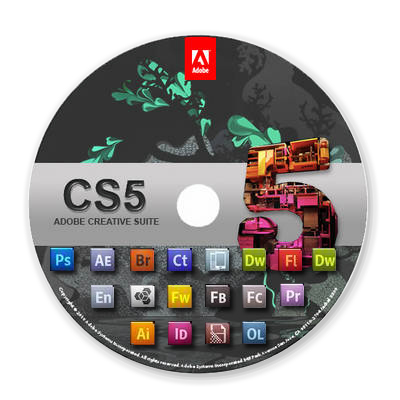
Crack Any Adobe Software Manually – The Genuine Way [Windows]
Whenever we download any cracked software from the internet, or download a crack for the application, it usually consists of viruses, and also it can never be updated. So to overcome these issues we have a genuine way to crack any Adobe product. This is simply done by stopping the requests from Adobe to check if everything with our Adobe account is valid or not. The trick is simple and can be implemented easily . You just need to edit a simple notepad file.
Steps To Crack Any Adobe Software :
1. Download or install any Adobe software which you want to crack from the original site (ignore if you have already installed it).
2. Now press Windows Key + R (or go to START and select RUN).
3. Copy “ C:\Windows\System32\drivers\etc ” to the blank space and press enter.

The window will look like the screenshot shown below

4. You will sea a file named “hosts” , open it in Notepad.
Copy all the codes give from this file, exactly at the end of the “hosts” file.
Now your hosts file will look like below

5. Now open your installed software and try registering it with the given keys in this file. You can also use any other serial from the internet.
Update And Crack IDM Easily Using IDM Cracker
We already gave you Internet Download Manager 6.07 Full Version. But as IDM gets updated very soon, it needs to be cracked again and again. So we have a tool that makes the updating and cracking of IDM very easy. The whole work is done by the software, you just need to click the right options.

Above is the image showing how the IDM Cracker looks like.
Steps To Have Latest Version Of IDM Fully Cracked :
- Download and install the latest version of IDM. Ignore if already installed.
- Download IDM Cracker Tool.
- Press the Start button. The IDM Cracker tool itself will do all the work.
When Updating Again When The New Version Arrives :
- Run the IDM Cracker Tool.
- Press the Update button , this will allow you to update your IDM.
- Click on check for updates in IDM so that it can update itself.
- After the update is complete and new version of IDM is installed, again open IDM Cracker Tool and click on Start. That’s it. Your IDM is again fully cracked. Repeat these steps whenever new version of IDM is launched.
Tips to protect Facebook account from Hackers
Facebook, the social networking or we can say our virtual world. Most of the people live more in this virtual world than their real world. We share our photos, moods and thoughts with our friends. But with the increase in use of Facebook, Hackers are also very active and they always try to hack innocent people's facebook account.
Many people do not care about this. According to them, "There is no loss to me if my facebook account is hacked." But they easily forget that they also have some of their private information. And if there is no private information, the account represents you. These are the people who never care about their account security and then request me to help in getting back their facebook account because some one is using it and doing abusive things.
Why should you always try to protect your account: Facebook is your online identity. If you account is hacked, you will have to face following problems:
1. Now someone else is living your life in Facebook. All the abusive and criminals activities done by hacker will represent you.
2. He will ruin your reputation.
3. Your private photos can be misused in porn industry.
4. Your personal data wil be sold to the internet marketing firms
5. If you are a girl, then i do not think i have to explain the problem.
Myths about facebook hacking: Some people think that hackers have some nice hacking tools which easily gra their passwords. So they can not do any thing to protect their account. There is not a single percent truth in this. No tool exists which can grab your password. Yeah some hackers use facebook security services as a security bug to take over your facebook account. But facebook has given so many ways to recover facebook account. You are never going to lose your facebook account if you will follow all the security points which i am goinf to describe in this post.
Most of the time hackers use phishing and keyloggers to hack facebook account. Protection against these attacks are easy.
Security settings for facebook:
1. Hide your primary Email account and phone number from your profile. This should only be visible to you. It should not be available to your friends too.
To do this click on your name on the top navigation bar and go to your time line. Now click on About to open your profile info. Here scroll down to contact info and click on Edit. Here you will see some icons with a down arrow key in front of each info. click on drop down in front of emails to change it to "only me."

You must hide your email id and phone number and change the visibility to "only me" option.
Hackers can use your email id and phone number to perform phising attack.
2. Go to "Account settings" and then Security tab. Turn on "Secure Browsing". Click on Edit to enable the setting.
Enable "login notifications." This wil help you to know the unauthorize activity each time your account has been tried to access by you or someone else.
3. Add your phone number as a recovery option. This is the best way to recover the password.
4. Use a good Antivirus and internet security to protect system from keyloggers and trojans. Most of the internet security tools also warns against phishing page.
5. Regular update your browser and windows for latest patches. Updated browsers has inbuilt security tools which protects against malicious downloads and phishing links.
6. Avoid clicking on suspicious links and spams on facebook.
These are some facebook security tips which must follow in order to protect your facebook account.
Many people do not care about this. According to them, "There is no loss to me if my facebook account is hacked." But they easily forget that they also have some of their private information. And if there is no private information, the account represents you. These are the people who never care about their account security and then request me to help in getting back their facebook account because some one is using it and doing abusive things.
Why should you always try to protect your account: Facebook is your online identity. If you account is hacked, you will have to face following problems:
1. Now someone else is living your life in Facebook. All the abusive and criminals activities done by hacker will represent you.
2. He will ruin your reputation.
3. Your private photos can be misused in porn industry.
4. Your personal data wil be sold to the internet marketing firms
5. If you are a girl, then i do not think i have to explain the problem.
Myths about facebook hacking: Some people think that hackers have some nice hacking tools which easily gra their passwords. So they can not do any thing to protect their account. There is not a single percent truth in this. No tool exists which can grab your password. Yeah some hackers use facebook security services as a security bug to take over your facebook account. But facebook has given so many ways to recover facebook account. You are never going to lose your facebook account if you will follow all the security points which i am goinf to describe in this post.
Most of the time hackers use phishing and keyloggers to hack facebook account. Protection against these attacks are easy.
Security settings for facebook:
1. Hide your primary Email account and phone number from your profile. This should only be visible to you. It should not be available to your friends too.
To do this click on your name on the top navigation bar and go to your time line. Now click on About to open your profile info. Here scroll down to contact info and click on Edit. Here you will see some icons with a down arrow key in front of each info. click on drop down in front of emails to change it to "only me."

You must hide your email id and phone number and change the visibility to "only me" option.
Hackers can use your email id and phone number to perform phising attack.
2. Go to "Account settings" and then Security tab. Turn on "Secure Browsing". Click on Edit to enable the setting.
Enable "login notifications." This wil help you to know the unauthorize activity each time your account has been tried to access by you or someone else.
3. Add your phone number as a recovery option. This is the best way to recover the password.
4. Use a good Antivirus and internet security to protect system from keyloggers and trojans. Most of the internet security tools also warns against phishing page.
5. Regular update your browser and windows for latest patches. Updated browsers has inbuilt security tools which protects against malicious downloads and phishing links.
6. Avoid clicking on suspicious links and spams on facebook.
These are some facebook security tips which must follow in order to protect your facebook account.
Google-Branded Super Phone Rumored

A Google-branded phone is rumored and expected to arrive in 2010 Q1. According to information on web, Google is partnering with Smartphone maker HTC for Super Android mobile phone.
The Google-branded super phone is expected to be thinner than Droid and iPhone, according to the news on PC World. So get ready for the Google-branded super phone in next year.
Intel Core i7-2600k Processor Gets Official, Intel Core i7-2600k Price
The new Intel Core i7-2600k is a Desktop Processor officially launced by Intel. The Intel Core i7-2600k is a second gen core desktop processor features 95W TDP, 4 Cores, 8 threads, 3.4 GHZ CPU Base Freq, 3.8 GHz Max Turbo Freq, 1333MHz DDR3, 8MB L3 Cache, Intel HD Graphics – 3000, up to 1350 MHz Graphics max Dynamic Frequency and more.

Intel Core i7-2600k Processor has Intel’s Hyper-threading technology, Advanced Vector Extensions (AVX), Quick Sync Video, AES-NI and Virtualization Technology.
Intel Core i7-2600k Processor has Intel’s Hyper-threading technology, Advanced Vector Extensions (AVX), Quick Sync Video, AES-NI and Virtualization Technology.
Price : Intel core i7-2600k Price in India is Rs. 19000 approx
Symbian Anna Update now available for Nokia N8, C7, E7 and C6-01
Symbian Anna, the latest software update for Symbian^3 smartphones is now available for download for Nokia N8, C7, E7 and C6-01.

Symbian Anna change log includes
Improved text input: Portrait QWERTY keyboard for fast, single-handed typing.
Split-screen view while you’re typing, so you can see the web pages, forms and message threads you’re replying to.
Better browser Browser is easier to use and faster, and offers better compliance with recent standards.
Enhanced Maps Ovi Maps now has a simpler and quicker search function.
It also includes public transport routes.
And you can check in to social networks, send emails and SMS messages sharing your location.
Business features Email improvements include full meeting request support.
Hardware-accelerated encryption of your phone’s data for true business-grade security.
Secure intranet access for business users who need IPSEC and SSL VPN enablers.
Near-Field Communications Symbian Anna also activates the NFC hardware in the Nokia C7, for easy sharing, games, use with NFC-enabled accessories and reading NFC tags on other items.
For developersFlashlite 4, Java Runtime 2.2, Qt Mobility 1.1 and Qt 4.7 bring things up-to-date for developers.
Split-screen view while you’re typing, so you can see the web pages, forms and message threads you’re replying to.
Better browser Browser is easier to use and faster, and offers better compliance with recent standards.
Enhanced Maps Ovi Maps now has a simpler and quicker search function.
It also includes public transport routes.
And you can check in to social networks, send emails and SMS messages sharing your location.
Business features Email improvements include full meeting request support.
Hardware-accelerated encryption of your phone’s data for true business-grade security.
Secure intranet access for business users who need IPSEC and SSL VPN enablers.
Near-Field Communications Symbian Anna also activates the NFC hardware in the Nokia C7, for easy sharing, games, use with NFC-enabled accessories and reading NFC tags on other items.
For developersFlashlite 4, Java Runtime 2.2, Qt Mobility 1.1 and Qt 4.7 bring things up-to-date for developers.
Samsung Galaxy Player 70 Plus launched
Samsung has launched a new galaxy player dubbed as Galaxy Player 70 Plus. Samsung Galaxy Player 70 Plus is the successor of 5-inch Galaxy Player 70.

Galaxy Player 70 Plus will be available in 16 or 32 GB variants.
Samsung Galaxy Player 70 Plus is powered by dual core 1 GHz processor, and features a 5 MP camera, FM Radio, dual-band Wi-Fi, Bluetooth connectivity expandable memory, ChatON/Kakao Talk messaging apps pre-loaded, T-DMB, gyro sensor, and 2500mAh battery.
Galaxy Player 70 Plus will be available in 16 or 32 GB variants.
Samsung Galaxy Player 70 Plus is powered by dual core 1 GHz processor, and features a 5 MP camera, FM Radio, dual-band Wi-Fi, Bluetooth connectivity expandable memory, ChatON/Kakao Talk messaging apps pre-loaded, T-DMB, gyro sensor, and 2500mAh battery.
Asus Introduces Designo MS Series LCD Monitors
Asus has unveiled the brand new ultra-slim Designo MS Series LCD monitors MS246H/ MS236H/ MS202Din India. Designo MS Series’ design concept has been inspired by the binary system with several contrasting elements like straight lines and circles, and black and white into the monitor, with a 16.5mm profile.

The MS246H and MS236H feature 23.6-inch and 23.0-inch widescreen respectively, along with 1920×1080 resolution, 250cd/m2 and 2ms response time.
The MS202D features 20-inch widescreen, 1600×900 resolution, and 5ms response time. The brightness of these monitors is touted at 250 Cd/m2.
All the monitors come with a unique spherical ring stand which features Asus’ Ergo-Fit Technology, allowing users to adjust the monitor’s tilt angle with just one finger. The series comes with ergonomic design putting the screen at eye level when paired with a notebook using the DVI/VGA cable.
The Designo MS Series LCD Monitor features Full HD 1080p, 50,000:1 high contrast ratio, 2ms quick response time, ASUS Splendid Technology, and an HDMI port to deliver high quality entertainment from Blu-ray movies and console games, along with an extra 40% in power savings.
The new Asus LCD monitors will be available across the nation through Rashi Peripherals. The MS202D,MS236H and MS246H are priced at 10,900, 16,500 and 17,500, respectively.
Fujitsu LIFEBOOK Series laptops come In India
Fujitsu has launched a bunch of laptops in India for small and medium business and personal use. Company has launched 5 laptops from LIFEBOOK series from the starting price of Rs. 21,995, exclusive of tax. Fujitsu LIFEBOOK runs on Intel Second Generation Core i3, i5 or i7 processor depending upon the configuration.

First in LIFEBOOK series is, Fujitsu LIFEBOOK LH531 called ‘All Rounder’ by the company has 14 inch anti-glare 1366 x 768 pixels LED Backlit display, 1.3 MP HD webcam, an optional Blu-Ray disc drive, any time USB charging and weighs 2.2 kgs.
First in LIFEBOOK series is, Fujitsu LIFEBOOK LH531 called ‘All Rounder’ by the company has 14 inch anti-glare 1366 x 768 pixels LED Backlit display, 1.3 MP HD webcam, an optional Blu-Ray disc drive, any time USB charging and weighs 2.2 kgs.
Fujitsu LIFEBOOK SH531, the ‘Compact Companion’ sports a 13.3 inch screen, WLAN connectivity, 34 mm Express Card Slot for external UMTS solution. It weighs 1.9 kgs.
Fujitsu LIFEBOOK AH531, “The Workhorse” comes with 15.6 inch anti-glare LCD display with resolution of 1366 x 768 pixels, WLAN, Bluetooth and 3G/UMTS connectivity.
Fujitsu LIFEBOOK A531 dubbed as “The Essential Partner” by the company features a 15.6 inch anti-glare LCD screen, WLAN, Bluetooth, 3G/UNTS connectivity, USB charging and Spill resistant keyboard.
Fujitsu LIFEBOOK E751 “The Mobile Top Performer ” features a 15.6 inch screen, and memory upgradation.
Wednesday, March 14, 2012
Flash Player
Adobe Systems Inc - (Freeware)


Adobe Flash Player is the high performance, lightweight, highly expressive client runtime that delivers powerful and consistent user experiences across major operating systems, browsers, mobile phones and devices.Specific versions are available for Internet Explorer and other browsers.
Java Runtime Environment
Oracle - (Freeware)


Java software allows you to run applications called "applets" that are written in the Java programming language. These applets allow you to have a much richer experience online than simply interacting with static HTML pages.
Java Plug-in technology, included as part of the Java 2 Runtime Environment, Standard Edition (JRE), establishes a connection between popular browsers and the Java platform. Java allows applications to be downloaded over a network and run within a guarded sandbox. Security restrictions are easily imposed on the sandbox.
Many cross platform applications also require Java to operate properly.
 Java Runtime Environment 1.7.0.3 (32-bit) Java Runtime Environment 1.7.0.3 (64-bit) Java Runtime Environment 1.7.0.3 (32-bit) Java Runtime Environment 1.7.0.3 (64-bit) |
Adobe Air 3.2.0.2060 RC 1
Adobe Systems Inc - 14.17MB (Freeware)
(Download)

(Download)

The Adobe® AIR, runtime enables you to have your favorite web applications with you all the time. Since applications built for Adobe AIR run on your desktop computer without a web browser, they provide all the convenience of a desktop application.
Companies like eBay and AOL are using Adobe AIR to create exciting new applications that allow you to use their services on your desktop.
In short, Adobe AIR means applications that are easier, more powerful, and more fun to use.
Be safe on the web: Adobe AIR helps ensure safe installations by requiring digital signatures on each AIR application that identify the application and its creator before you install.
Opera 11.61
Opera Software - 10.13MB (Freeware)
(Download)

(Download)

A full-featured Internet browser, Opera includes pop-up blocking, tabbed browsing, integrated searches, and advanced functions like Opera's groundbreaking E-mail program, RSS Newsfeeds and IRC chat. And because we know that our users have different needs, you can customize the look and content of your Opera browser with a few clicks of the mouse.
- Speed Dial: Your favorite sites are just one click away at all times.
- Search Shortcuts: Faster search - type your queries directly into the address bar.
- Trash Can: Instantly reopen recently closed tabs.
- Mouse Gestures: With Opera you can navigate the Web with your mouse.
- Opera Link: Synchronize data of your choice online, or among different computers and devices.
- Quick Find: Opera remembers not only the titles and addresses, but also the actual content of the Web pages you visit.
- Feed Preview: Preview a Feed by clicking on the feed icon, and you will see it in clean and efficient multiple-column layout.
- Quick and customizable Web search: Get quick access to Google, eBay, Amazon and more with the search field in the upper right corner.
Tuesday, March 13, 2012
Firefox 11.0 Beta 8
Mozilla Organization - 15.97MB (Open Source)

(Download)

The Web is all about innovation, and Firefox sets the pace with dozens of new features to deliver a faster, more secure and customizable Web browsing experience for all.
User Experience. The enhancements to Firefox provide the best possible browsing experience on the Web. The new Firefox smart location bar, affectionately known as the "Awesome Bar," learns as people use it, adapting to user preferences and offering better fitting matches over time.
Performance. Firefox is built on top of the powerful new Gecko platform, resulting in a safer, easier to use and more personal product.
Security. Firefox raises the bar for security. The new malware and phishing protection helps protect from viruses, worms, trojans and spyware to keep people safe on the Web.
Customization. Everyone uses the Web differently, and Firefox lets users customize their browser with more than 5,000 add-ons.